18 Peer Review with Hypothes.is
This chapter introduces Hypothes.is as a tool for conducting structured peer review of Quarto reports. Learn how to provide constructive feedback on your peers’ work, collaborate within groups, and use annotation features to improve scientific communication. The platform enables targeted, visible feedback that strengthens both the reviewer’s critical thinking skills and the author’s final product.
peer review, hypothes.is
18.1 Why Peer Review?
Peer review is an essential part of scientific communication.
By critically evaluating each other’s work, you:
- Develop analytical skills by identifying strengths and areas for improvement
- Improve your own writing by seeing how others approach similar challenges
- Build collaborative habits essential for research environments
- Provide actionable feedback that directly improves the final product
18.2 Example: Zero Sum Beliefs Report
To follow along with this chapter, see the Zero Sum Paper which we will add comments to.
Upon opening the paper, you should see the following: 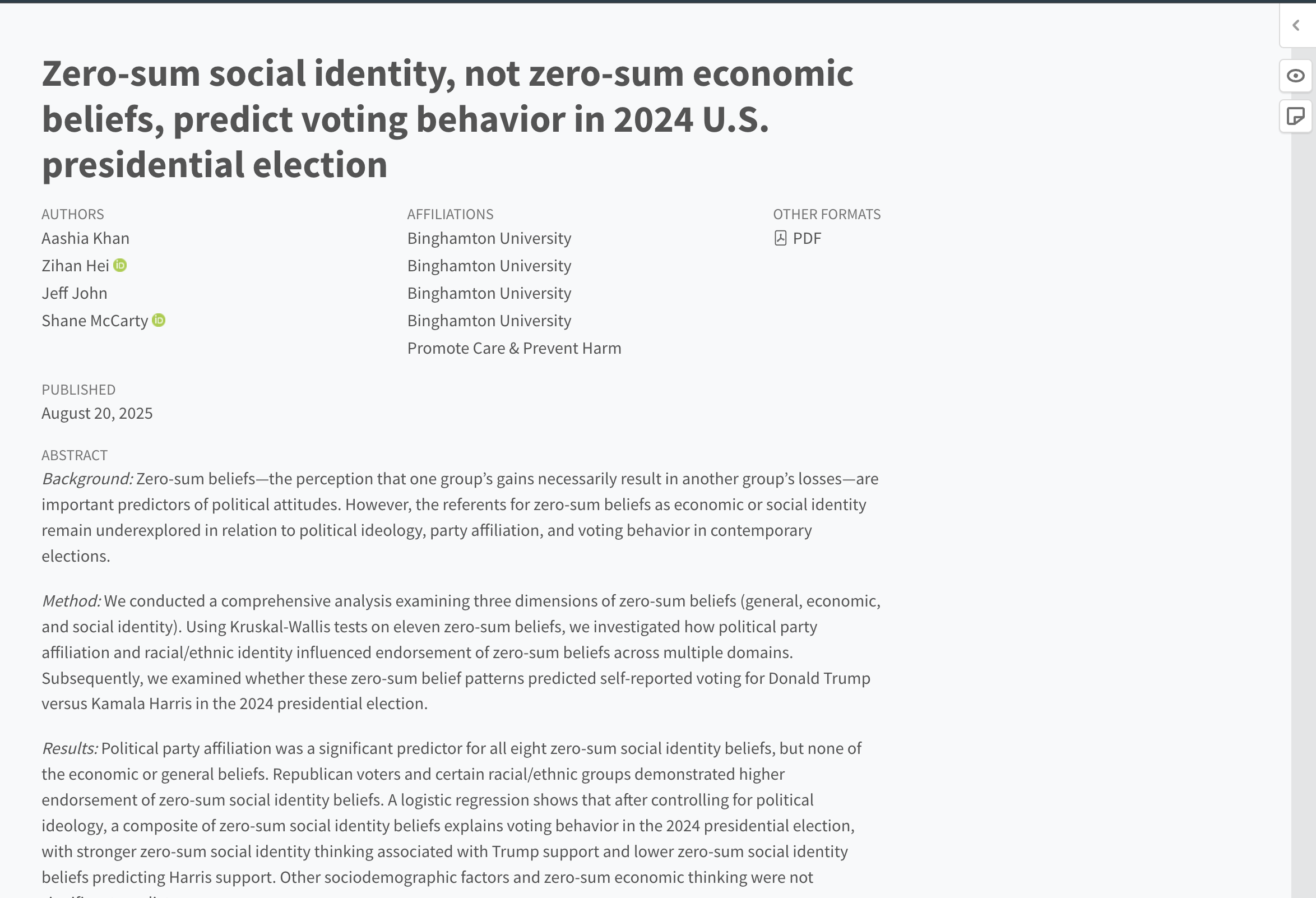
Clicking the arrow in the top right corner will produce this menu: 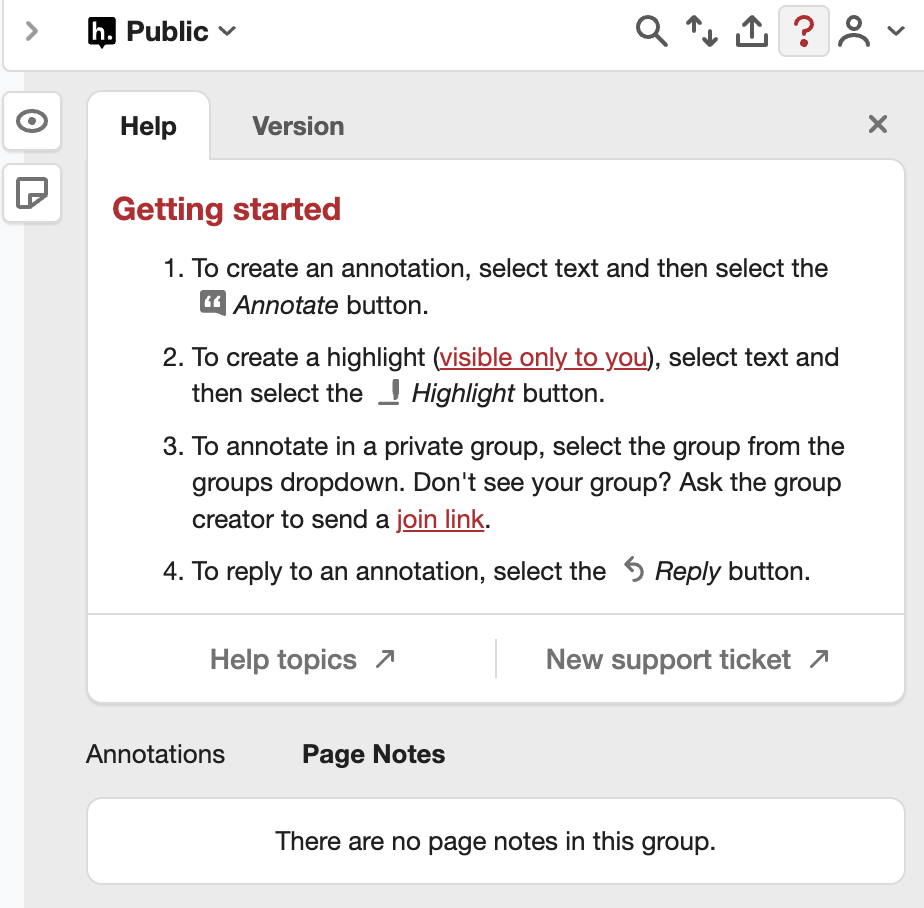
If you have not created an account yet, you can sign up using your Bmail. The menu more or less provides the instructions, but here is an example annotation: 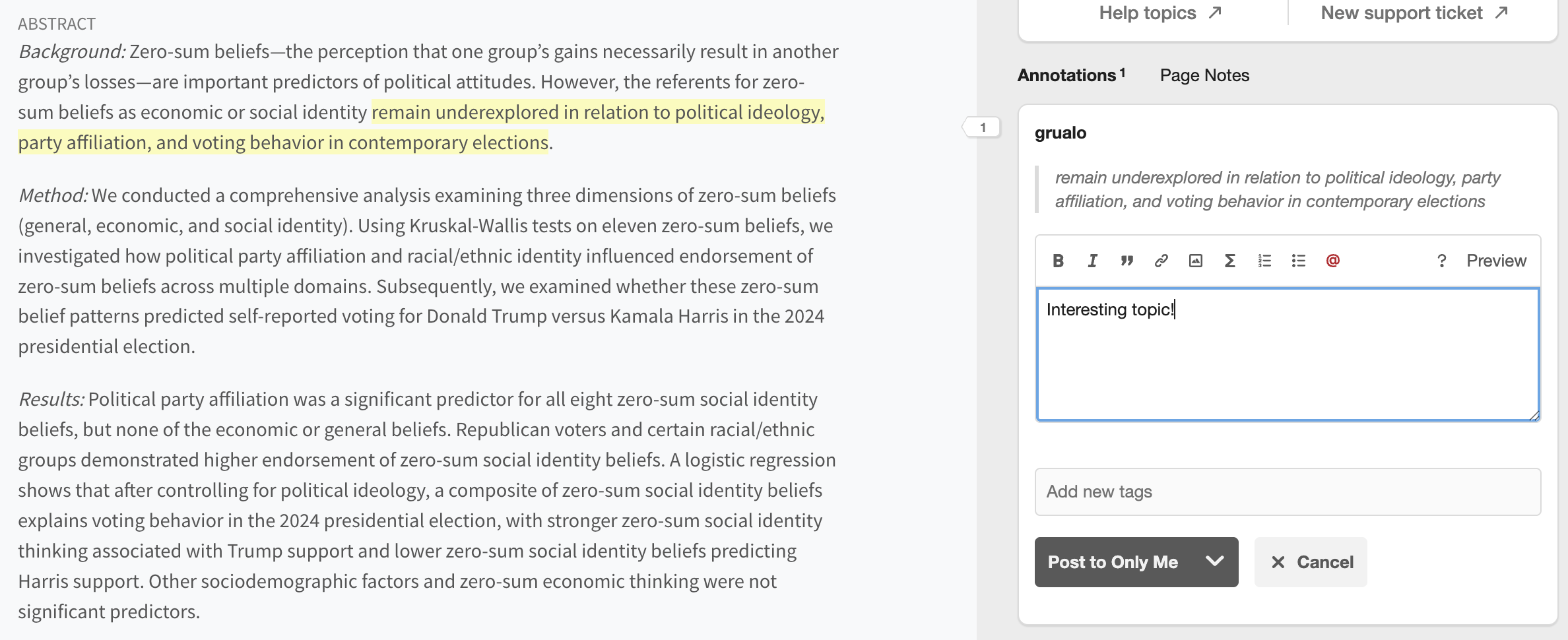
You can annotate text by selecting anything in the report and choosing “Annotate”. Note that this annotation can be made public or private. Similarly, to private annotations, you might want to highlight a specific portion in the text just for yourself. Upon selecting the text, you would instead click “Highlight”.
18.3 Groups
Another important function of Hypothes.is is the creation of groups. When you select which group you are annotating under, you can view annotations just made by that group. Similarly, you can post annotations that are only visible to people in that group, such as your own team. To select which group you are currently posting to, go to the top right dropdown as shown here: 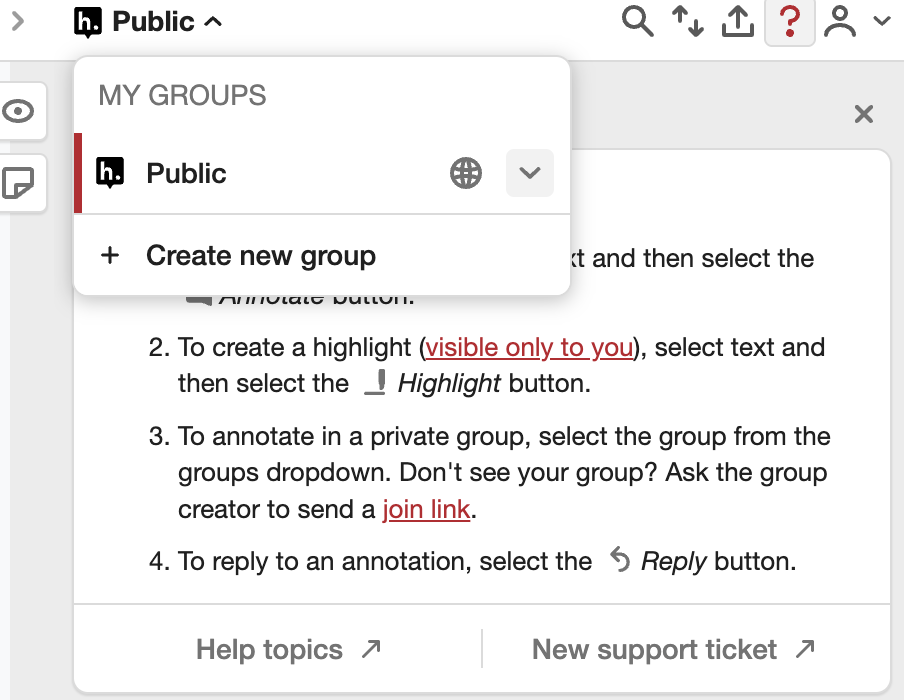
After creating a group or being invited to one, you can now select to post only to that group when creating an annotation. Additionally, when you have this group selected, you can choose to only read annotations made by members of this group.
Overall, the functioning of commenting should be quite similar by now after working in FRI for the past few semesters. This framework just makes it easier to comment on currently published reports. Good luck!
18.4 Peer Review of RD Report
Provide at least 10 specific comments using hypothes.is to improve the results and discussion section. Focus on the results section, including code blocks, visualization, and technical writing.